Office Tab Microsoft Office Multi Tag
Brand: Office Tab
Office Tab can be seamlessly integrated into Office, with the option to bookmark files in the top tab. After adding files to your favorites, you can quickly open them or perform other operations at any time.
Choose a Plan
💡 This page contains affiliate links. We may earn a small commission from your purchase, which helps support our site at no extra cost to you.
Exclusive Coupon Code: 178085
Search for this code on APSGO to go directly to the product page and apply your discount.
Buy on APSGO →Overview
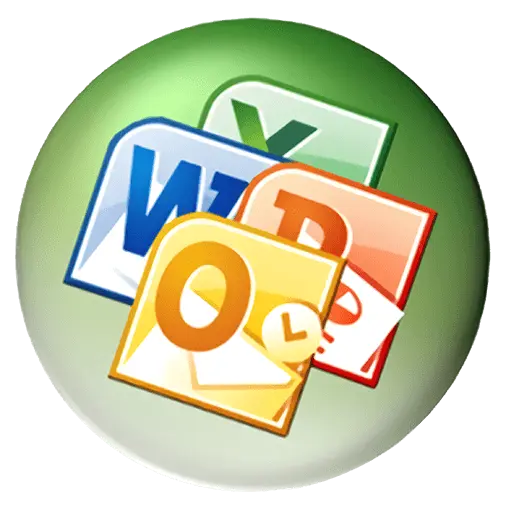
Office Tab Microsoft Office Multi Tag is a productivity tool that integrates tabbed browsing into Microsoft Office applications, allowing you to manage multiple documents within a single window. It enhances workflow efficiency by enabling quick access to open files and the ability to bookmark frequently used documents for instant retrieval. This software is ideal for users who juggle numerous files and want to reduce desktop clutter.
Key Features
- Tabbed Interface: Adds browser-like tabs to Word, Excel, PowerPoint, and other Office programs, letting you switch between documents with a single click.
- Favorites/Bookmarks: Save frequently used files to a favorites list, enabling one-click access from the tab bar without navigating through folders.
- Customizable Tabs: Rename, color-code, and reorder tabs to organize your work visually, improving file identification and management.
- Quick File Operations: Right-click tabs to perform actions like save, close, duplicate, or open the file location, streamlining common tasks.
- Seamless Integration: Works within the familiar Office environment, preserving all native features and shortcuts, so there's no learning curve.
Who Should Use It
- Office professionals who regularly work with multiple Word documents, Excel spreadsheets, or PowerPoint presentations and need to switch between them efficiently.
- Researchers or analysts who frequently reference several files simultaneously and benefit from bookmarking key sources for quick access.
- Administrative staff who handle numerous reports and forms daily, reducing time spent searching for and opening files.
Frequently Asked Questions
Which Microsoft Office applications are supported by Office Tab?
Office Tab supports Word, Excel, PowerPoint, and other Office programs like Publisher and Visio, depending on the version. It integrates seamlessly with Office 2003, 2007, 2010, 2013, 2016, 2019, and Office 365.
Can I customize the appearance of the tabs?
Yes, you can customize tab colors, rename tabs, and set the tab bar position (top or bottom). This allows you to visually organize your documents and quickly identify them.
How does the favorites/bookmark feature work?
You can add any open document to your favorites list by clicking the star icon on the tab. Once added, the file appears in a dedicated favorites section, and you can open it with one click, even if it's not currently open.
Will using Office Tab slow down my Office applications?
No, Office Tab is designed to be lightweight and optimized for performance. It runs in the background without noticeable impact on the speed or stability of your Office programs.
Is there a trial version available?
Yes, the official website offers a free trial so you can test the software before purchasing. The trial includes all features, allowing you to evaluate its usefulness in your workflow.
More from PDF & Office